Attach a custom domain to a web service or static site after its application is deployed and healthy. You need permission to change the service and access to the domain's DNS zone. Private services, workers, and cron jobs do not use public custom domains.
Bex separates domain ownership, routing DNS, and TLS readiness. Creating a CNAME alone does not complete the setup.
1. Add the hostname
Open the service's custom-domain settings and choose Add Custom Domain.
Enter only the hostname, such as api.example.com, without a scheme, port, or
path. Bex currently rejects wildcard tenant domains such as *.example.com.
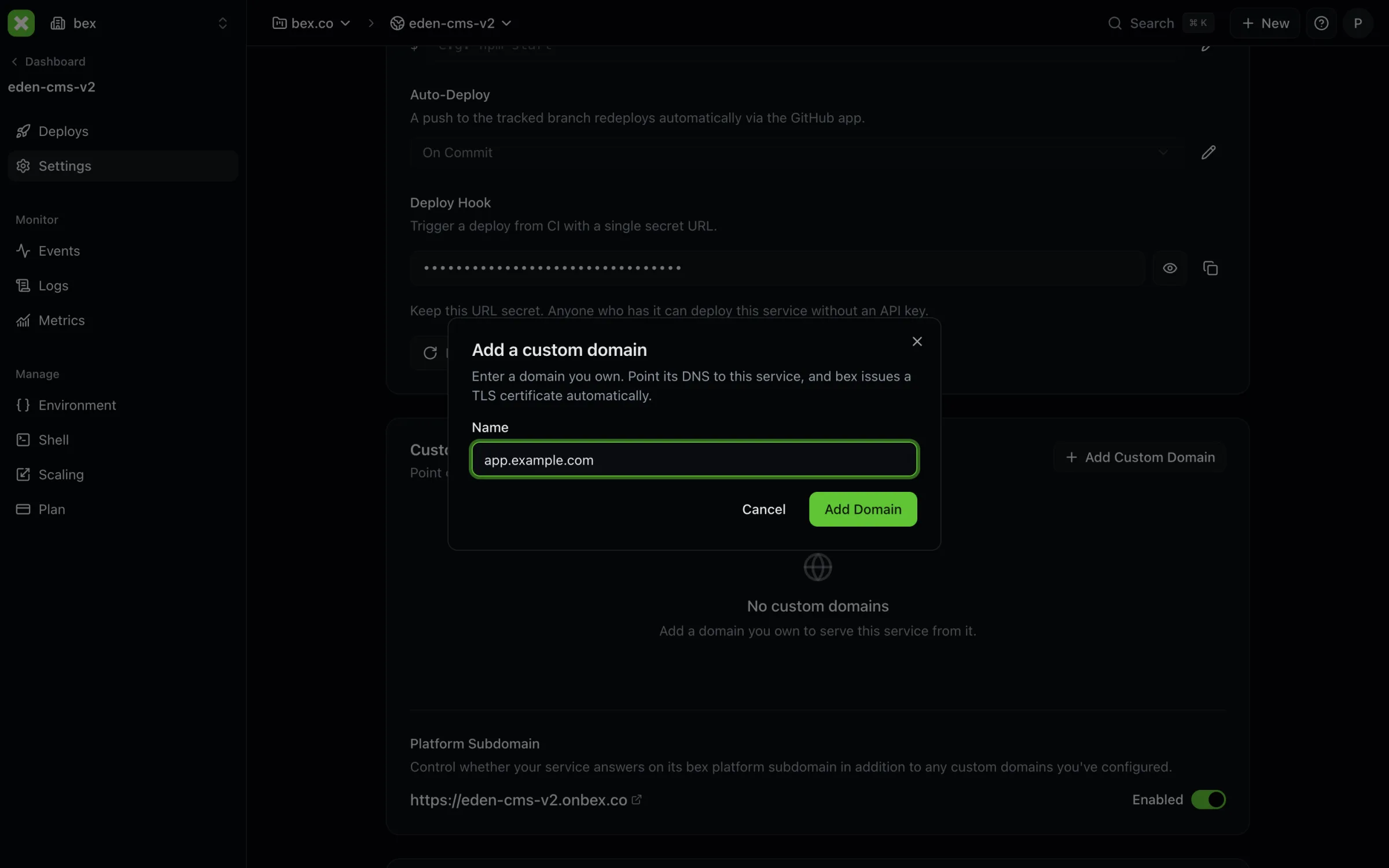
Alternatively, use the API. Set BEX_API_URL to your API origin, BEX_TOKEN
to an authorized token, and SERVICE_ID to the service id:
curl --fail-with-body -X POST \
  "$BEX_API_URL/v1/services/$SERVICE_ID/custom-domains" \
  -H "Authorization: Bearer $BEX_TOKEN" \
  -H "Content-Type: application/json" \
  -d '{"name":"api.example.com"}'
Inspect the response for DNS instructions. For pending ownership claims,
ownershipDnsRecord provides the TXT record; dnsRecord provides the routing
record. If you add an apex or www hostname, inspect the resulting list for an
automatically paired hostname and its redirectForName target too.
2. Create the returned DNS records
Copy the record names and values exactly from the dashboard or API:
| Record | Purpose |
|---|---|
Ownership TXT (ownershipDnsRecord) | Proves control of the domain. The record name can be scoped to the registrable domain, not the complete subdomain. |
Routing CNAME or ALIAS (dnsRecord) | Directs requests for your hostname to the instance's serving target. |
For a subdomain, the routing instruction is normally a CNAME. For an apex, Bex returns an ALIAS target; use your DNS provider's ALIAS, ANAME, or CNAME flattening support. Do not put a conventional CNAME at an apex or invent an IP address when the returned instruction supplies a hostname.
Some DNS consoles append the zone name automatically. Check that you have not
created a record such as _bex-challenge.example.com.example.com. Preserve
unrelated DNS records and allow for your provider's propagation and caches.
3. Verify ownership and wait for TLS
Use the dashboard's verify control, or:
curl --fail-with-body -X POST \
  "$BEX_API_URL/v1/services/$SERVICE_ID/custom-domains/api.example.com/verify" \
  -H "Authorization: Bearer $BEX_TOKEN"
Verification checks the expected TXT value. Once ownership is verified, Bex can project the domain into routing and request its certificate. Read the current state with:
curl --fail-with-body \
  "$BEX_API_URL/v1/services/$SERVICE_ID/custom-domains/api.example.com" \
-H "Authorization: Bearer $BEX_TOKEN"| Field | What it tells you |
|---|---|
ownershipStatus | Whether the ownership claim is pending or verified. |
verificationStatus | Whether certificate verification has reached verified status. |
serverStatus | Whether the domain is reported active for serving. |
Ownership verification can finish before certificate issuance. Wait for the
reported serving and certificate state, then test https://api.example.com
with a real request. Do not bypass a browser certificate error to declare the
setup successful. Issuance time depends on DNS, certificate authority, and
instance configuration; there is no guaranteed sub-minute completion.
Manage domains in a Blueprint
A service's render.yaml declaration can include a
domains: list. Validation and apply do not replace proof of domain ownership;
complete any pending DNS instructions after submitting the configuration.
The platform subdomain is separately configurable. If you want the service
reachable only through custom domains, verify those domains before disabling
the platform subdomain. The API requires a custom domain before accepting
serviceDetails.renderSubdomainPolicy: disabled.
Troubleshoot
Check the returned TXT record if ownership stays pending. If ownership is verified but the certificate is pending, check routing DNS and the instance's certificate/ingress configuration. If TLS works but requests fail, inspect application health and logs. Keep DNS pointed at the serving infrastructure for ongoing certificate validation and renewal.
See TLS certificates for the certificate lifecycle and Health checks for application readiness.